Enter password to view project
Amazon SageMaker Unified Studio - Administration Portal
Allowing adminstrators enterprise control over their company's product usage.
Role
Lead UX Designer
Industry
Data Analytics
Duration
3 months
Problem and Background
We recognized a major usability gap: admins had to manage tasks across two different environments: the AWS console and our product’s standalone web portal. Some admin features existed in one place, some in the other, and users had trouble knowing where to go for what. This fragmentation increased setup time, created confusion during onboarding, and led to frequent support questions about where specific admin actions lived.
To deliver a more seamless experience, we set out to centralize admin actions within the product itself, eliminating unnecessary context-switching and improving clarity for both admins and regular users.
Problem and Background
We recognized a major usability gap: admins had to manage tasks across two different environments: the AWS console and our product’s standalone web portal. Some admin features existed in one place, some in the other, and users had trouble knowing where to go for what. This fragmentation increased setup time, created confusion during onboarding, and led to frequent support questions about where specific admin actions lived.
To deliver a more seamless experience, we set out to centralize admin actions within the product itself, eliminating unnecessary context-switching and improving clarity for both admins and regular users.
Competitive Analysis
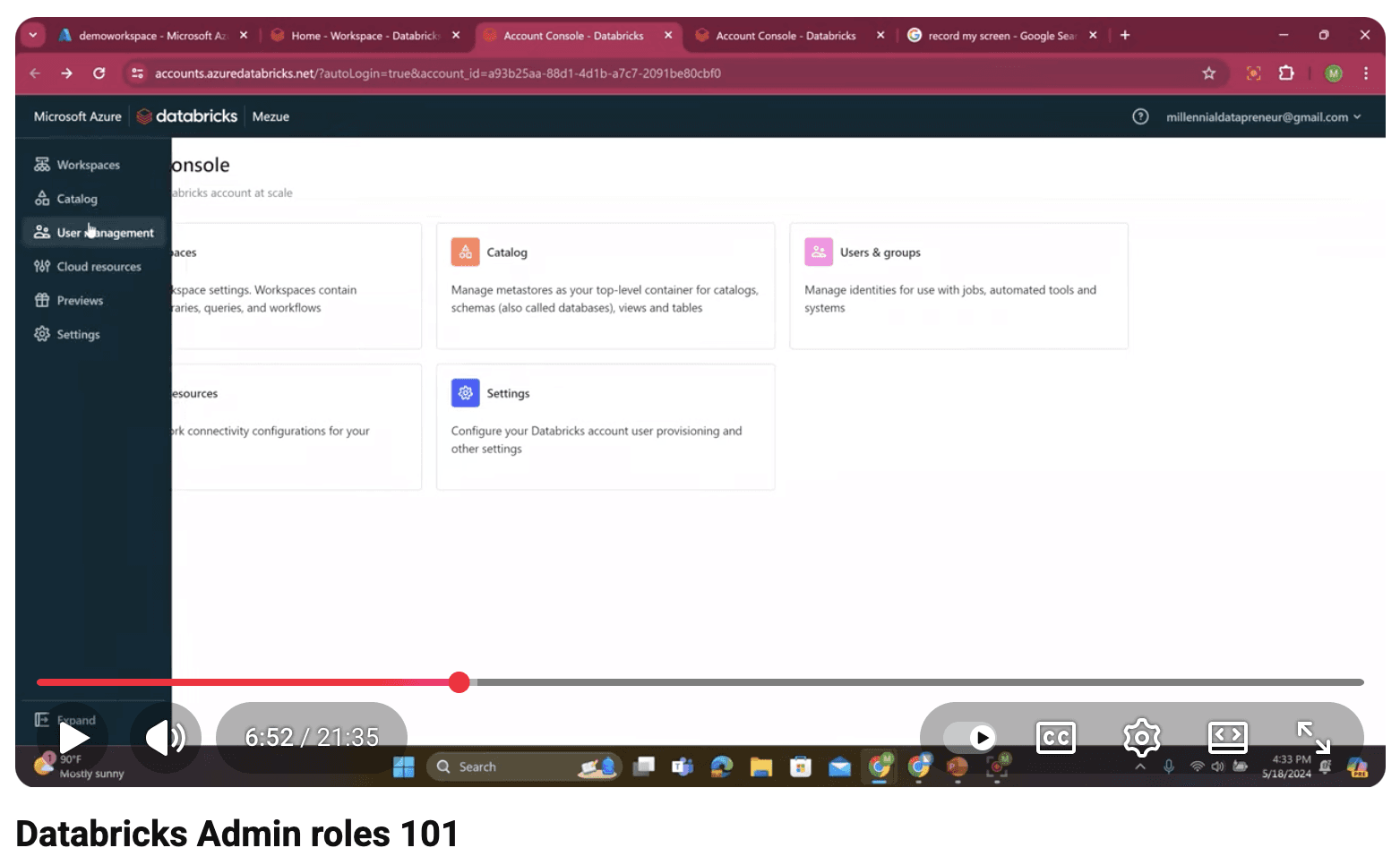
For competitive analysis, we reviewed several products in the space, including the market leader, Databricks. I always start with third-party video walkthroughs to understand interaction patterns, onboarding flows, and the overall IA of each product. These videos provided a realistic view of how users actually experience the interface in practice. From this analysis, I identified industry patterns around admin navigation, progressive disclosure, and role-based access that helped shape our information architecture and onboarding approach.


Competitive Analysis
For competitive analysis, we reviewed several products in the space, including the market leader, Databricks. I always start with third-party video walkthroughs to understand interaction patterns, onboarding flows, and the overall IA of each product. These videos provided a realistic view of how users actually experience the interface in practice. From this analysis, I identified industry patterns around admin navigation, progressive disclosure, and role-based access that helped shape our information architecture and onboarding approach.
Competitive Analysis
For competitive analysis, we reviewed several products in the space, including the market leader, Databricks. I always start with third-party video walkthroughs to understand interaction patterns, onboarding flows, and the overall IA of each product. These videos provided a realistic view of how users actually experience the interface in practice. From this analysis, I identified industry patterns around admin navigation, progressive disclosure, and role-based access that helped shape our information architecture and onboarding approach.
Wireframing
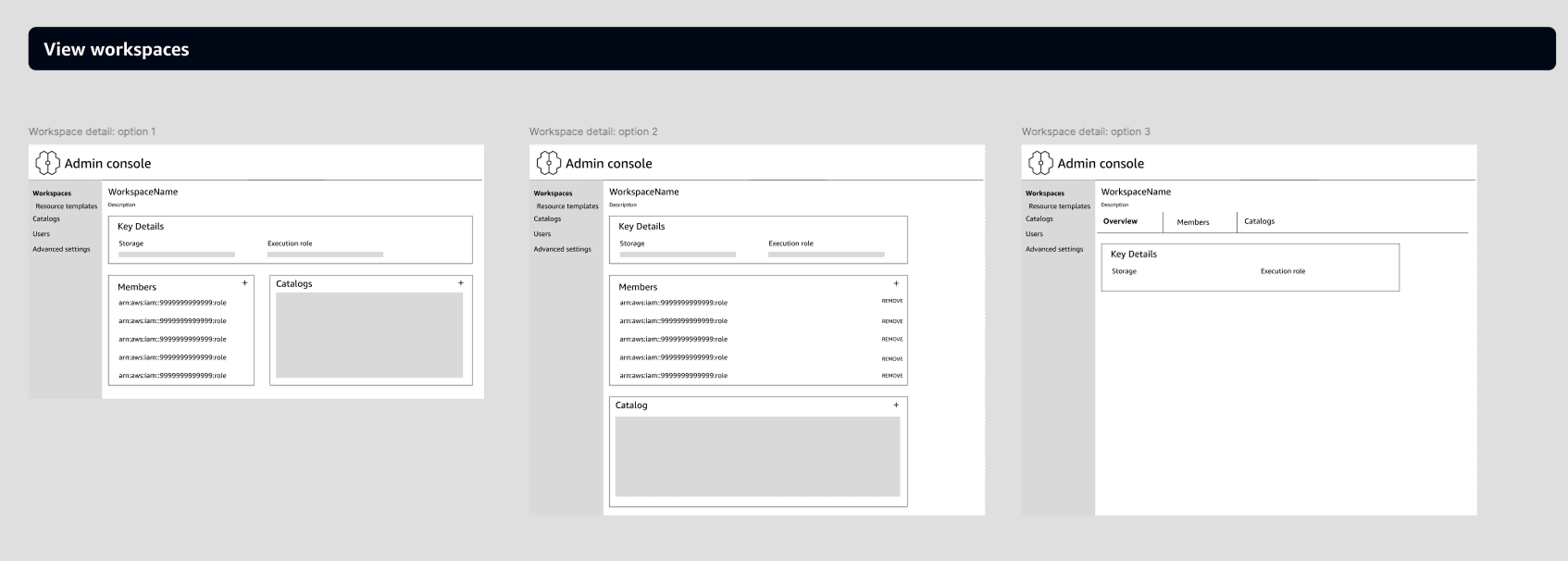
I began by exploring several early concepts to define the foundational structure of the admin experience. These initial wireframes helped validate the core navigation model, clarify what needed to be centralized, and identify gaps in the existing workflow before investing in higher fidelity. Through this process, I defined a tab-based structure that separated major user stories into distinct, focused sections.

High-Fidelity Iteration
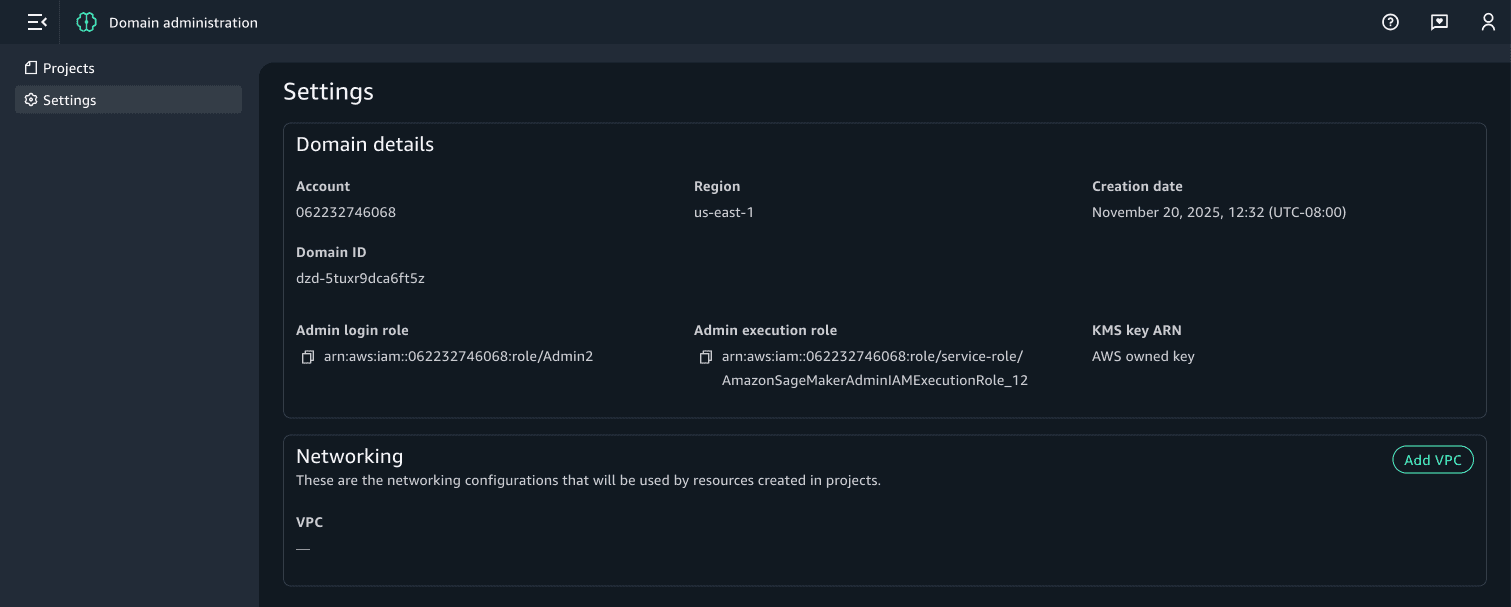
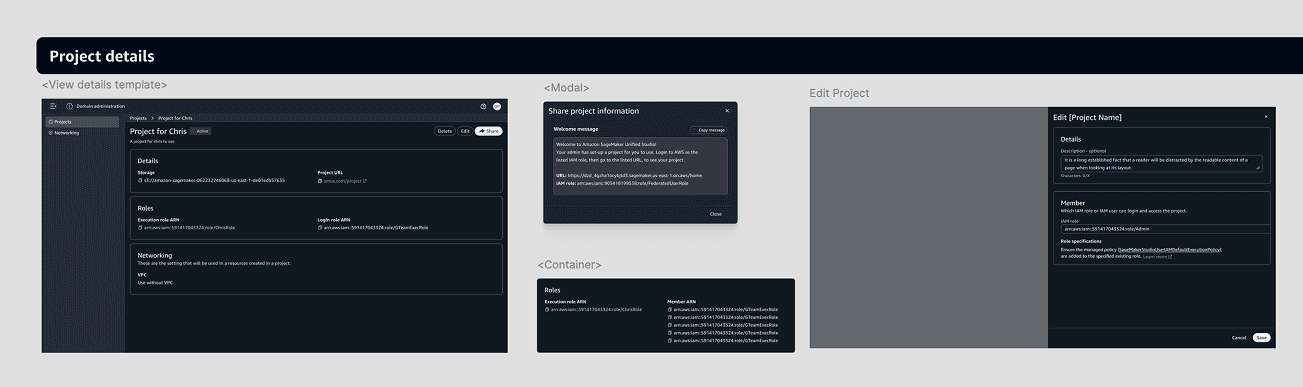
I moved into high-fidelity designs. I went through multiple rounds of feedback, incorporating evolving requirements, shifting priorities, and several scope adjustments. Each iteration helped refine the requirements, simplify the workflows, and ensure the experience aligned with both user needs and technical constraints. Based on these learnings, I eliminated a traditional home screen and instead put the projects list, the most critical user action, front and center.
High-Fidelity Iteration
I moved into high-fidelity designs. I went through multiple rounds of feedback, incorporating evolving requirements, shifting priorities, and several scope adjustments. Each iteration helped refine the requirements, simplify the workflows, and ensure the experience aligned with both user needs and technical constraints. Based on these learnings, I eliminated a traditional home screen and instead put the projects list, the most critical user action, front and center.


Walkthroughs, Leadership Reviews, and Customer Input
To ensure the solution would work beyond our immediate team’s assumptions, we conducted walkthroughs with senior Amazon leadership and shared early previews with select customers. Their feedback surfaced edge cases, clarified expectations for admin workflows, and allowed use to gain confidence in our decisions.
Walkthroughs, Leadership Reviews, and Customer Input
To ensure the solution would work beyond our immediate team’s assumptions, we conducted walkthroughs with senior Amazon leadership and shared early previews with select customers. Their feedback surfaced edge cases, clarified expectations for admin workflows, and allowed use to gain confidence in our decisions.
Final designs, Launch and Outcomes
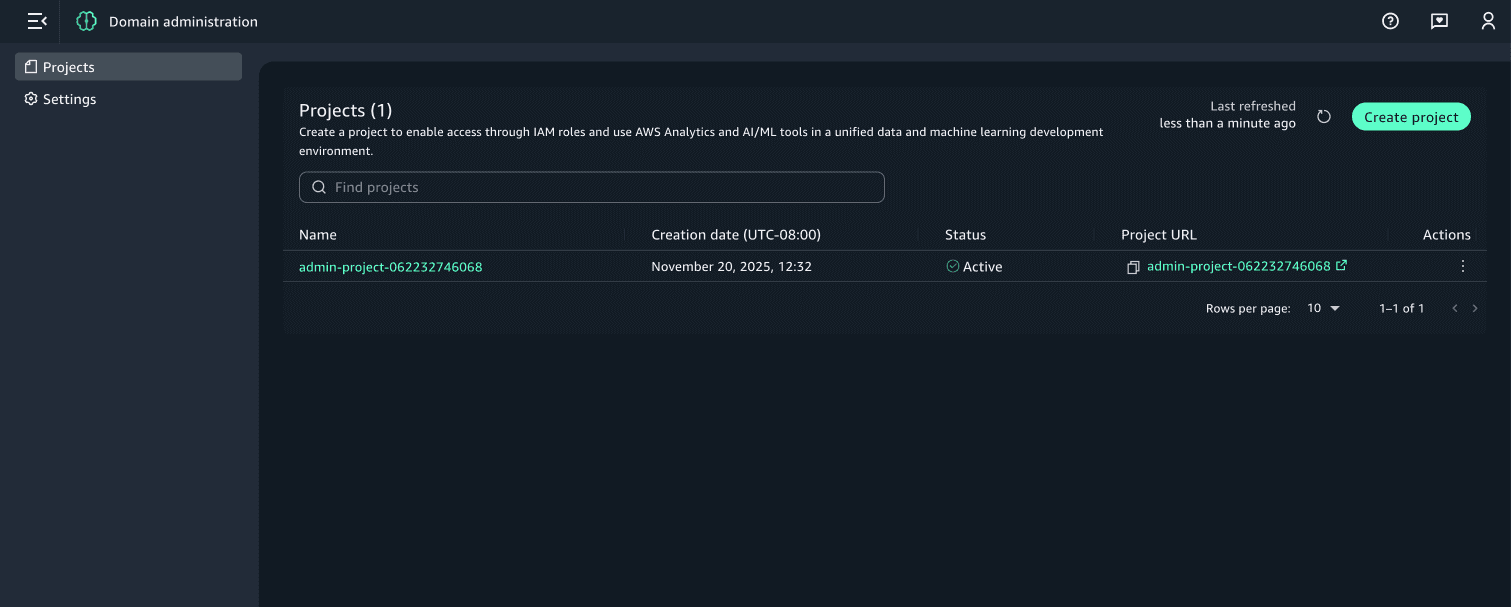
The updated admin experience went live in December 2025. Adoption was strong from the start: more than 40% of new users opted into the new admin portal, confirming the need for a centralized and streamlined admin workflow.
Final designs, Launch and Outcomes
The updated admin experience went live in December 2025. Adoption was strong from the start: more than 40% of new users opted into the new admin portal, confirming the need for a centralized and streamlined admin workflow.